I owned an Apple IIc in 1985. And bought an iPod 20-something years ago. Other than that, have been exclusively Microsoft.
But I wanted to try forScore, so I bought an iPad 7 or 8 years ago.
Since then, I've found many other uses for the iPad, but forScore was the motivation for its purchase.
I scan scores from purchased music or download from imslp.org, then use forScore's stamps to enter my own fingerings legibly.
In another thread, I mentioned the Henle app as being required for purchasing Henle digital scores.
While I still use forScore almost exclusively when I use the tablet (and TBH, I often print out pages from forScore and use them instead), the Henle app has some nice features.
This is the link to their official app instructions: https://henle-library.com/en/features/
But knowing that Real Men Don't Read Instructions, I'll leave that link for the ladies and post a few of my own screenshots 😘
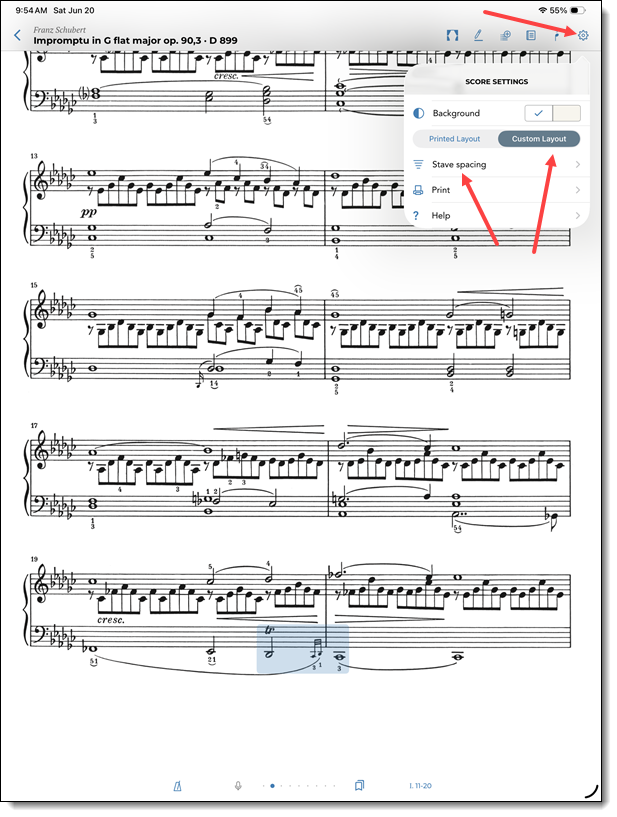
The app offers to display (AND PRINT/EXPORT) scores either in Printed Layout or Custom Layout.
To edit the layout, click the Gear, then select Custom Layout, then use the sliders inside of Stave spacing.
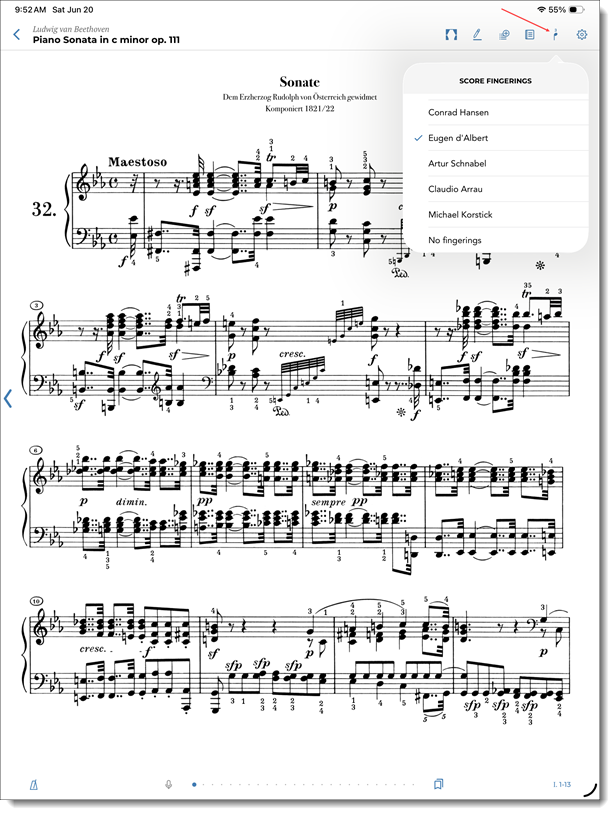
Henle digital scores usually just offer one editor's fingerings. But some, like this Beethoven, give you a number of choices. Use the fingering number icon to select fingerings or turn them off.
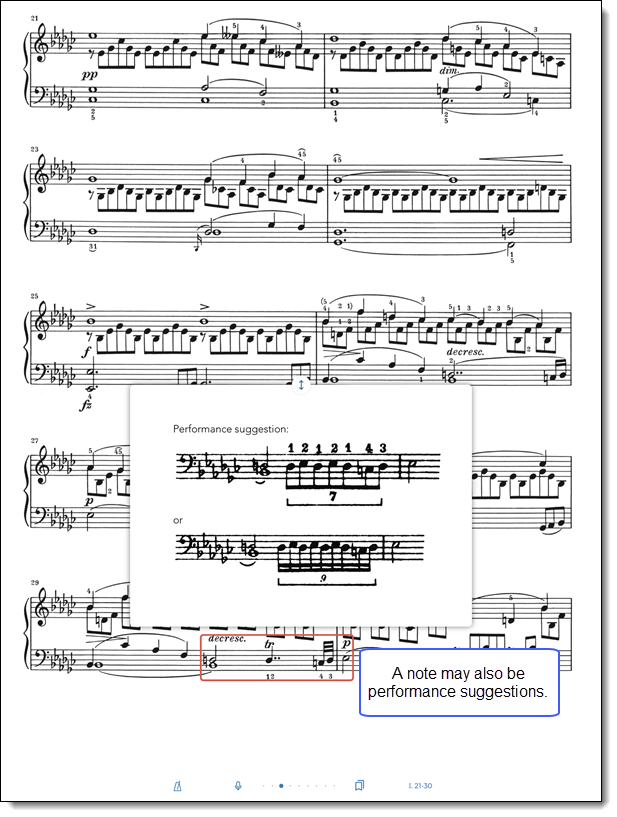
Different spots in the score may have notes. Click the Notes icon. There, you can read the Preface from the print edition. You can also turn on Score comments.
Score comments will be light blue highlights. Touch one to read it.
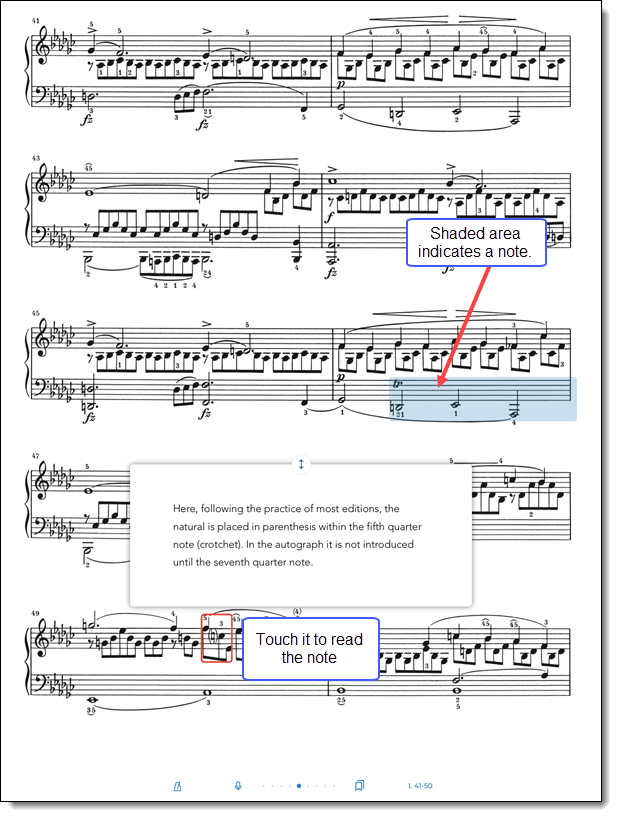
A note may also be a performance suggestion.
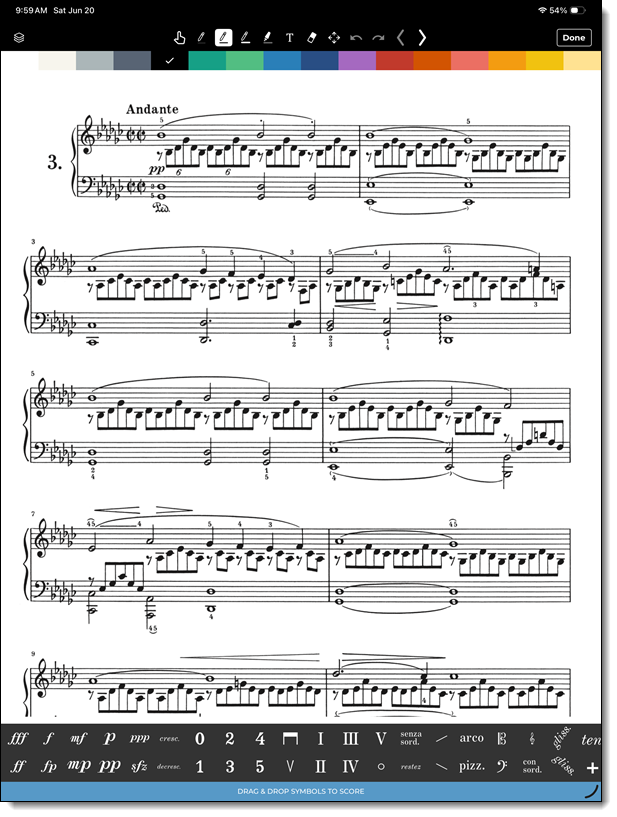
I haven't used the Henle app's markup/editing tools (sticking with forScore for numbering stamps), but it seems powerful.
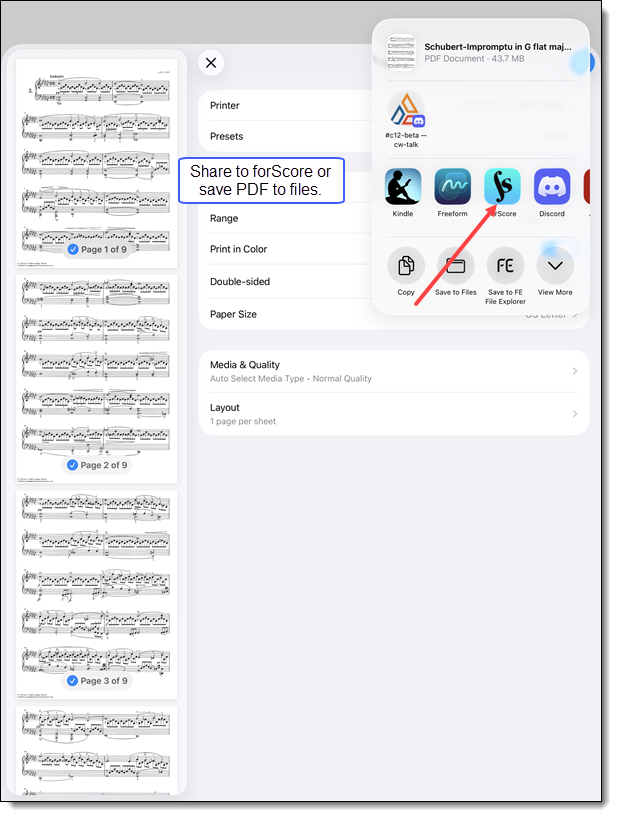
To export a PDF to forScore (or elsewhere), start with the Gear and then Print icons.
Then click the Share icon on the printer selection screen.
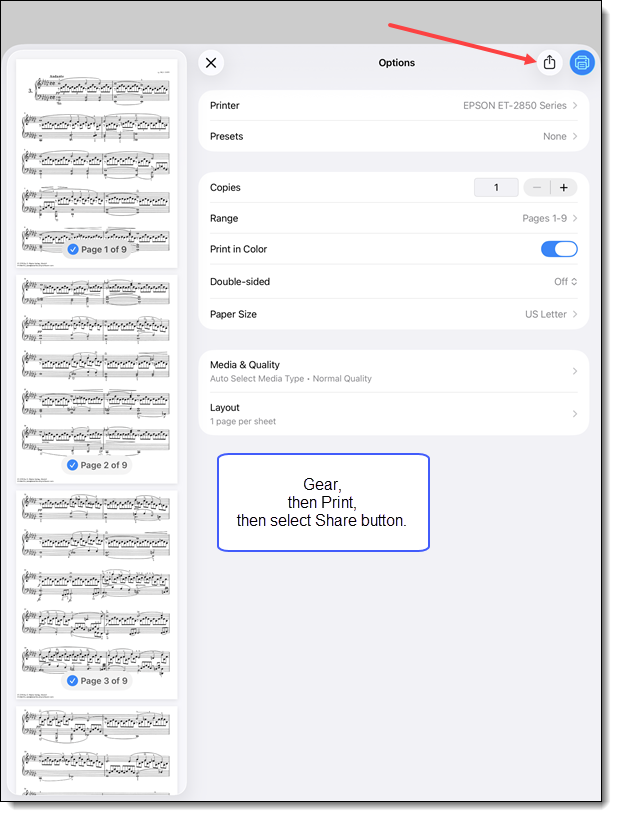
Then do the usual Apple thing of selecting as a destination either an app or saving to files.